
Choosing Between Ledger and Trezor: Security, Features, and Price
Comparing Ledger Wallet vs Trezor: Which Hardware Wallet Is Better? is a common question for crypto investors. Both brands offer cold storage solutions. But they differ in chip design, software, and cost. Understanding these differences helps you pick the right device. Let us break down every aspect.
What Makes a Hardware Wallet Secure?
Hardware wallets keep private keys offline. This prevents hackers from stealing funds online. Two main security approaches exist: secure element chips and general-purpose chips. Ledger uses a secure element. Trezor uses a standard microcontroller. Each has strengths and weaknesses.
Secure Element Chips in Ledger
Ledger uses a secure element chip similar to bank cards. This chip is certified against physical attacks. Tampering with the chip destroys the keys. Ledger's Ledger secure element chip provides a high level of protection. It is harder to extract data from the chip.
Open Source Firmware in Trezor
Trezor uses a standard STM32 chip. Its firmware is fully open source. Anyone can audit the code. This transparency builds trust. However, the chip is less resistant to physical attacks. Researchers have demonstrated side-channel attacks on Trezor devices.
Seed Phrase and Backup Differences
Both wallets generate a 24-word seed phrase. The phrase is your ultimate backup. Ledger uses a recovery sheet. Trezor uses a similar process. For detailed steps, see the Ledger wallet recovery guide. Never share your seed phrase with anyone.
Which Wallet Supports More Coins?
Supported assets vary by model. Trezor currently supports around 1,800 coins and tokens. Ledger supports over 5,500. This includes many ERC-20 tokens. Check the Ledger wallet coin list for exact numbers. Trezor covers Bitcoin, Ethereum, and top altcoins. Ledger adds smaller projects.
Ledger Coin Support
Ledger Nano X supports over 100 native coins. Through Ledger Live, you can manage thousands of tokens. The device installs apps for each blockchain. You can have up to 100 apps on the Nano X. Storage space is limited on the Nano S Plus.
Trezor Coin Support
Trezor Model T supports about 1,800 assets. It does not support as many obscure tokens. But it covers all major networks. Trezor Suite software manages transactions. Adding new coins requires firmware updates. Support is slower than Ledger for new tokens.
Third-Party Wallet Integration
Both wallets work with third-party software. Ledger connects to MetaMask, Electrum, and others. Trezor works with MetaMask and Exodus. Integration makes handling more coins possible. However, not all third-party wallets are equally secure.
Comparing Ledger and Trezor Features Side by Side
Features include screen size, connectivity, and mobile support. The table below shows key specs. Use this to compare Ledger vs Trezor security, Ledger vs Trezor features and more.
| Feature | Ledger Nano X | Ledger Nano S Plus | Trezor Model T | Trezor Model One |
|---|---|---|---|---|
| Screen | OLED, 128x64 | OLED, 128x64 | Color touchscreen | OLED, 128x64 |
| Connectivity | Bluetooth, USB-C | USB-C | USB-C, microSD | USB-A |
| Mobile App | Yes (Ledger Live) | No (USB only) | Yes (Trezor Suite) | No |
| Open Source | Partially | Partially | Fully | Fully |
| Price | Around $149 | Around $79 | Around $219 | Around $79 |
Each model has a different use case. The Model T offers a color touchscreen. The Nano X adds Bluetooth for mobile use. The Nano S Plus and Model One are budget options.
How Does the User Experience Compare?
Setting up a hardware wallet should be easy. Both companies provide clear guides. Ledger uses Ledger Live software. Trezor uses Trezor Suite. Each has a desktop and mobile app. Ledger wallet for newbies is straightforward. The initial setup takes about 10 minutes.
Steps to Set Up a Ledger Wallet
- Download Ledger Live from the official site.
- Connect your device via USB or Bluetooth.
- Choose "Initialize a new device" and press both buttons.
- Write down the 24-word recovery phrase on the card.
- Create a PIN code (4-8 digits).
- Install the app for the coin you want to use.
- Receive crypto by copying the address from the device screen.
Steps to Set Up a Trezor Wallet
- Go to trezor.io/start and download Trezor Suite.
- Connect Trezor via USB cable.
- Select "Create a new wallet" and confirm on the device.
- Write down the recovery seed (12 or 24 words).
- Set a PIN (up to 9 digits).
- Update firmware if needed.
- Start managing your coins through the interface.
Everyday Use: Transactions and Portfolio Tracking
Sending crypto requires confirming on the device. Ledger Live shows balances and transaction history. Trezor Suite offers similar features. Both apps allow staking for some coins. Portfolio tracking is available in-app. Mobile users prefer Ledger Nano X due to Bluetooth.
Price Comparison: Which Offers Better Value?
Cost is a major factor in the Ledger wallet versus Trezor decision. Prices range from $59 to $219. The entry-level models cost about the same. Higher-end models show more difference. Check for Ledger wallet price reduction deals before buying.
Budget Models Under $100
Ledger Nano S Plus costs $79. Trezor Model One costs $79. Both offer similar core security. The Nano S Plus has a larger screen and USB-C. The Model One uses USB-A. Both lack Bluetooth. For a starter hardware wallet, either is fine.
Mid-Range and Premium Models
Ledger Nano X is $149. Trezor Model T is $219. The Nano X includes Bluetooth and a larger battery. The Model T has a touchscreen and microSD slot. The Model T is more expensive but offers a better interface. Look for Ledger wallet bundle discount offers to save money.
Total Cost of Ownership
Consider accessory costs. Cables are included. Protective cases cost extra. Shipping fees apply. Ledger occasionally offers free shipping. Trezor has flat rates. The price difference is not huge over time. Both devices last for years without subscription fees.
Which Wallet Is Better for Beginners?
First-time users want simplicity. Ledger Live is intuitive. Trezor Suite is also user-friendly. The Ledger or Trezor choice for beginners often comes down to design. Ledger's app guides you step by step. Trezor's interface is slightly more technical.
Learning Curve
Ledger's setup requires no advanced knowledge. You just follow on-screen prompts. Trezor's recovery process can be tricky. You must enter the seed using the device screen. This takes longer but is safer. Beginners may find Ledger faster.
Customer Support and Resources
Both companies offer help centers and FAQs. Ledger has a chatbot. Trezor has a ticket system. Community forums are active. The Ledger wallet for newbies guide covers common questions. Trezor also has a beginner's guide on its site.
Mobile vs Desktop Preference
If you manage crypto on a phone, choose Ledger Nano X. Trezor Model T does not have Bluetooth. You need an OTG cable for mobile. Ledger Live mobile works well. Trezor Suite mobile is newer. Both support Android and iOS.
Hardware Differences: Build Quality and Design
Physical design affects daily use. Ledger devices are compact and lightweight. Trezor devices are larger. The Model T has a touchscreen. The Model One has buttons. Compare Ledger Trezor differences in durability and portability.
Ledger Build
Ledger Nano X is made of matte plastic. It feels solid. The buttons are on the top. The OLED screen is sharp. The device is small enough to carry in a pocket. The Nano S Plus is even smaller. Both have a USB-C port.
Trezor Build
Trezor Model T has a plastic body with a glass touchscreen. It is larger than Ledger. The Model One is similar in size to Nano S. The Model T's screen is bright and responsive. Buttons are on the sides. The microSD slot offers extra storage for encrypted backups.
Portability and Accessories
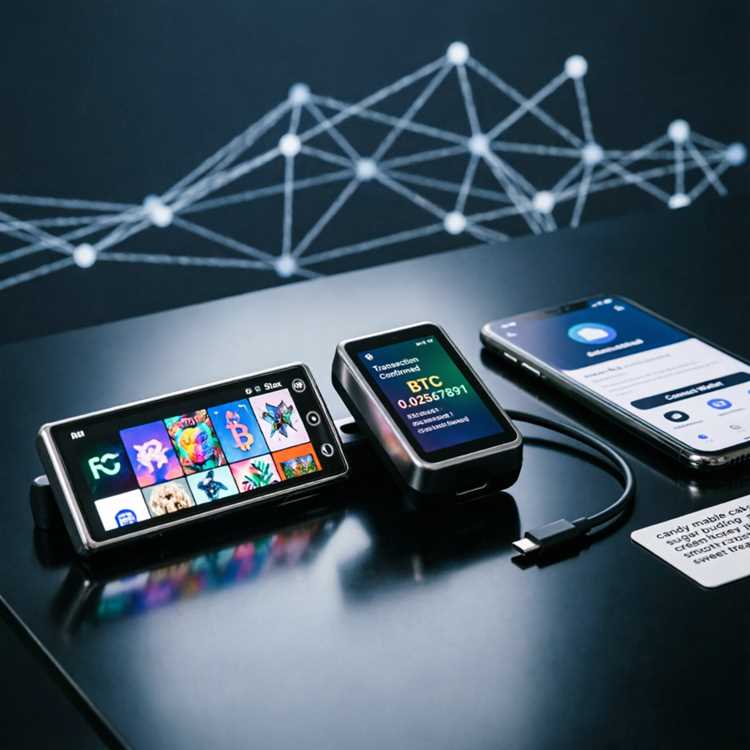
Carrying a hardware wallet daily is possible. Ledger is more pocketable. Trezor Model T is bulkier. Protective cases are available for both. Some users prefer a metal case for durability. Accessories list with prices, compatibility, and use case:
- Ledger Leather Case ($19) – fits Nano X, protects from scratches.
- Trezor Model T Silicone Case ($15) – adds grip, compatible with Model T only.
- Ledger USB-C to USB-A Adapter ($5) – needed for older PCs.
- Trezor MicroSD Card (16GB, $10) – for encrypted backup on Model T.
- Ledger Recovery Check ($10) – verifies your seed phrase safely.
Performance and Transaction Speed
Transaction speed depends on the blockchain, not the wallet. The device signs transactions quickly. Both confirm within seconds. Ledger wallet performance is comparable to Trezor. No significant lag occurs. The only difference is screen refresh rate.
Signing a Transaction
For Bitcoin, you confirm the address and amount. Ledger shows the details on the small screen. Trezor Model T shows them on a larger touchscreen. Both display QR codes for receiving. The process is identical in speed.
Firmware Updates
Updates add new features and security patches. Ledger updates require connecting to Ledger Live. Trezor updates are handled through Trezor Suite. Both take about 5 minutes. Do not disconnect during an update. Use a reliable USB cable.
Battery Life (for Bluetooth Models)
Ledger Nano X has a rechargeable battery. It lasts about 8 hours of use. Standby time is several weeks. Trezor models do not have batteries. They draw power from USB. This means always connected to a charger during use.
Frequently Asked Questions About Ledger and Trezor
This section answers common doubts. Use it for a quick hardware wallet comparison. We cover security, compatibility, and recovery.
Can I use both Ledger and Trezor together?
Yes. You can split your crypto across devices. This adds an extra layer of safety. If one device fails, you still have access. Use a multi-sig setup for advanced security.
Which wallet is more resistant to hacking?
Both are very secure against remote attacks. Ledger's secure element gives an edge against physical tampering. Trezor's open source firmware allows public audits. For most users, either is safe. Store your seed phrase offline.
What happens if the company goes bankrupt?
Your crypto is not stored on the company's servers. The device holds your keys. Even if the company shuts down, you can recover your funds using the seed phrase with any compatible wallet. This is true for both brands.
Do I need to pay any fees to use the wallet?
No subscription fees. The only cost is the device itself. Network fees apply when sending transactions. Those go to miners, not to Ledger or Trezor. Staking rewards may have validator fees.
Can I recover a Ledger seed on a Trezor device?
No. The seed phrase format is different. Ledger uses BIP39 with a passphrase option. Trezor also uses BIP39. However, Ledger adds a custom derivation path. You cannot directly import a Ledger seed into Trezor. Use the same wallet brand for recovery.
Final Verdict: Which One Should You Choose?
Your choice depends on priorities. For maximum coin support and mobile use, pick Ledger Nano X. For open source transparency and a touchscreen, pick Trezor Model T. For budget, either Nano S Plus or Model One works. Always buy from the official store. For a complete crypto hardware wallet experience, check the latest models. Explore Ledger wallet performance reviews before buying. Make your decision based on the features that matter most to you.